


The first few channels feel manageable. You list on Amazon, open a Shopify store, maybe sign up for a quick-commerce platform. And then, operations start to split apart. Stock is accurate in one seller panel and wrong in another. Orders arrive in five different places. A product that sold out at noon is still live on another channel at 6 pm.
Through this “How-to Guide” series, we introduce you to platforms across categories that reduce this operational load, so you can spend less time on the mechanics of running the business and more time growing it.
For brands selling across marketplaces, D2C, quick commerce, and retail, every new channel adds another inventory count, another order queue, and another set of settlements to chase. Warehouses run their own workflows, and teams jump between systems just to keep things moving.
EasyEcom fixes this by bringing the moving parts of eCommerce operations onto one platform. Inventory, orders, warehouses, fulfilment, and reconciliation sit in a single connected layer, giving brands a centralised view across every channel, from the first order to the final dispatch.
Use Cases
1. Multi-Channel D2C Brands | One Inventory Across Every Channel
Scenario: A growing D2C brand selling on Amazon, Flipkart, quick-commerce platforms, and its own Shopify store.
Every new channel is another place stock can drift out of sync, and overselling on one marketplace means cancellations, unhappy customers, and slipping seller ratings. EasyEcom connects every channel to a single inventory system that updates automatically as orders, returns, and adjustments happen. Virtual inventory rules let brands set channel-level buffers, so stock is protected without sitting idle.
2. High-Volume Brands | Order Processing That Scales Without Extra Headcount
Scenario: A brand processing tens of thousands of orders a month, where the ops team spends most of its day moving between seller panels.
At volume, manual workflows become the bottleneck. EasyEcom pulls every order into one workspace and runs automated checks, bulk processing, and routing based on inventory and warehouse availability. Growth gets absorbed by the system, not by more people copying data between tabs.
3. Multi-Warehouse Brands & 3PLs | Knowing What’s Where, and Where It Ships From
Scenario: A brand or 3PL managing inventory and fulfilment across multiple warehouses, dark stores, and fulfilment locations.
Across locations, three questions actually matter: what is available, where it sits, and where each order should ship from. The WMS answers all three with bin-level visibility, optimised picklists, and smart order routing, while the handheld terminal (HHT) app keeps picking moving on the warehouse floor.
4. Marketplace-Led Businesses | Recovering Revenue After Delivery
Scenario: A marketplace-heavy business managing returns, settlements, and deductions across platforms.
For marketplace sellers, the order doesn’t end at delivery. EasyReco reconciles settlements automatically, matching payouts against expected amounts and flagging deductions and short payments. EasyVMS links packing and return videos to the exact order, so when a dispute comes up, the evidence is already in hand and revenue that would otherwise slip through can actually be recovered.
How to Set Up EasyEcom: Step-by-Step Guide
Example Use Case: Bringing your marketplaces, storefront, and catalogue onto one dashboard
New to EasyEcom? Setup runs in three phases — onboard, set up, and go live. Follow these steps to move from scattered seller panels to a single operational view:
Phase 1: Onboard
1. Select Your Marketplaces: Choose the marketplaces you sell on and click Continue.
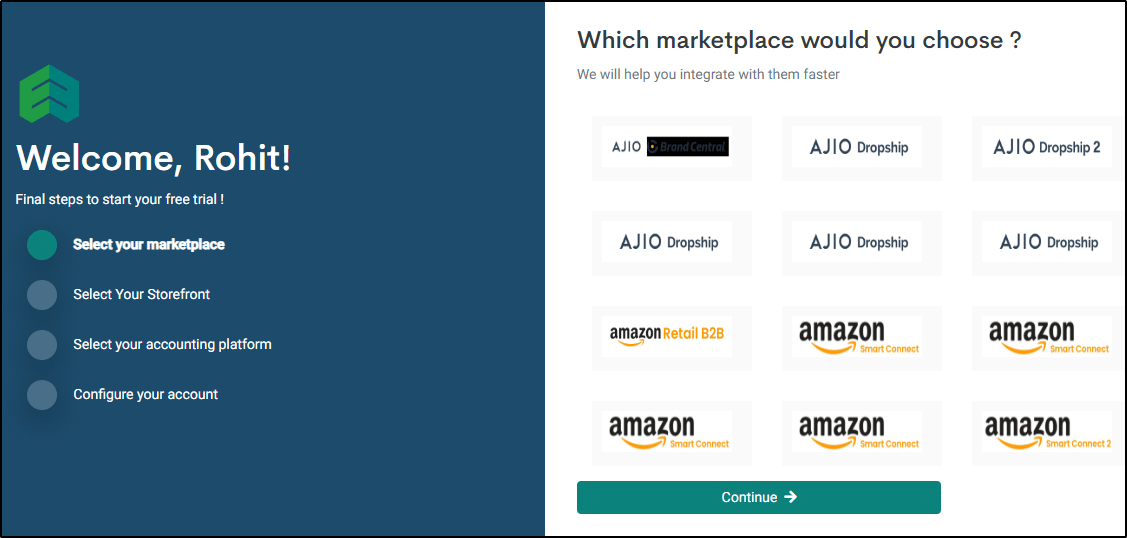
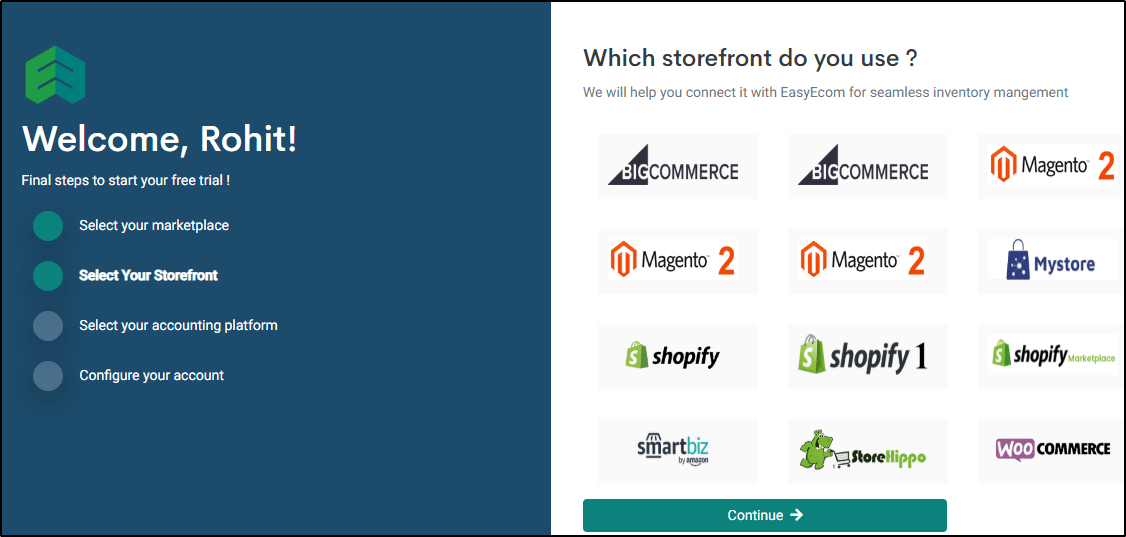
2. Select Your Storefront: Pick the platforms that power your online store - Shopify, WooCommerce, Magento, BigCommerce, and more. You’ll need at least one marketplace or one storefront to proceed.
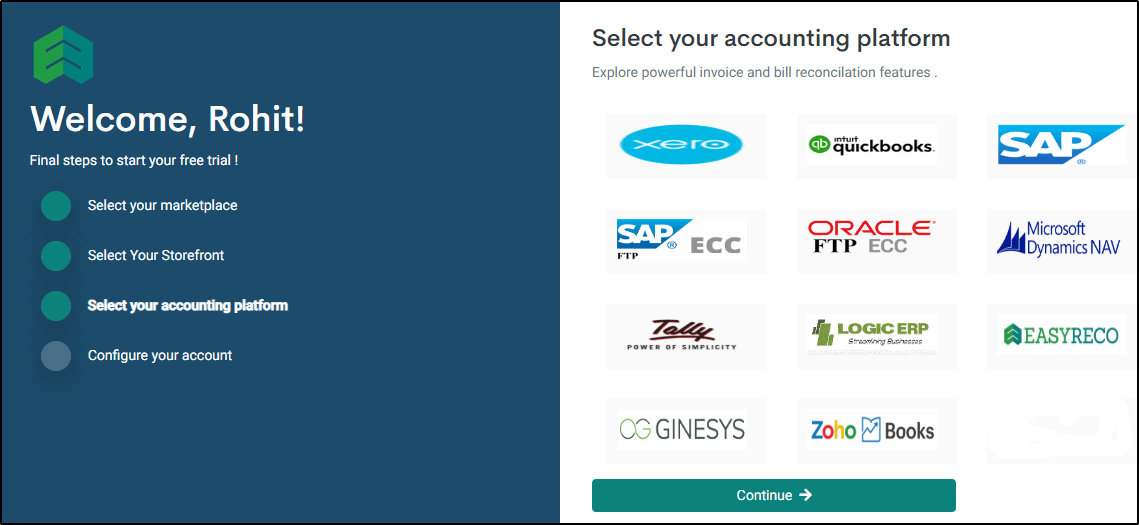
3. Select Your Accounting Platform: Choose your accounting software — Tally, Zoho Books, QuickBooks, Xero, SAP, Oracle, Microsoft Dynamics NAV, and others — and click Continue.
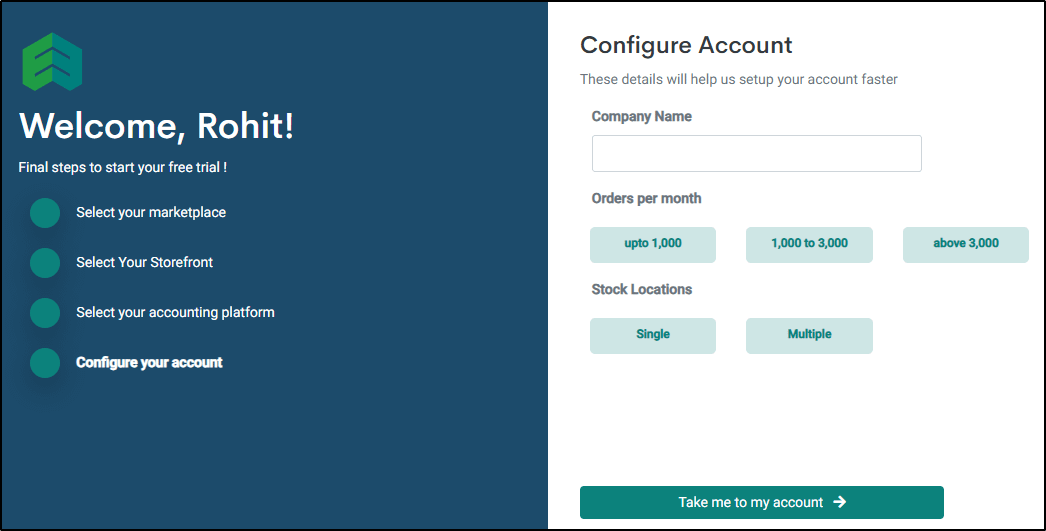
4. Configure Your Account: Enter your Company Name, Orders per month, and Stock Locations, then click Take me to my account.
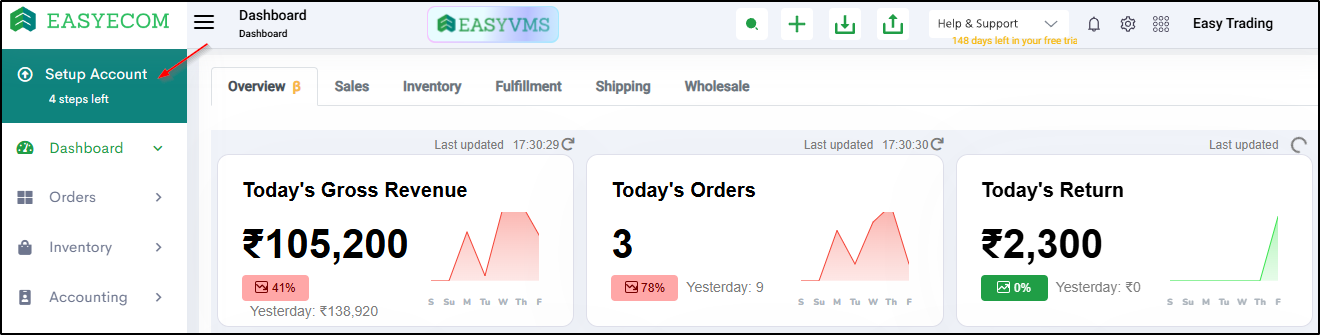
5. Explore Demo Mode: Your dashboard opens with sample data. Walk through orders, inventory, fulfilment, and reporting, then select Get started with my live account when you’re ready.
Phase 2: Set Up
6. Start Account Setup: In your live account, open Setup Account from the left panel.
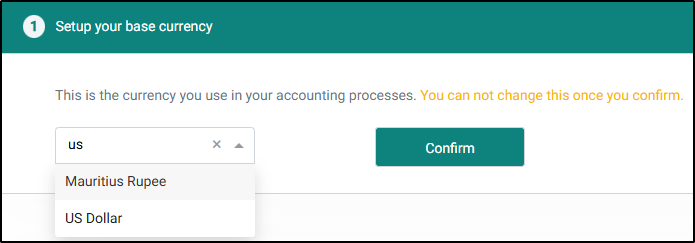
7. Set Your Base Currency: Choose the currency you use for accounting and click Confirm. This can’t be changed later, so double-check before confirming.
Phase 3: Connect & Go Live
8. Connect Your Marketplaces: Click Connect for each marketplace you want to sync and follow the on-screen instructions.
9. Connect Your Storefront: Click Connect for your storefront to keep inventory and orders in sync between your own store and your marketplaces.
10. Add Your Products: Under Add Products, bulk-import your catalogue using the CSV importer and select Start Import. Once products are in, you can start fulfilling orders and receiving purchases through EasyEcom.

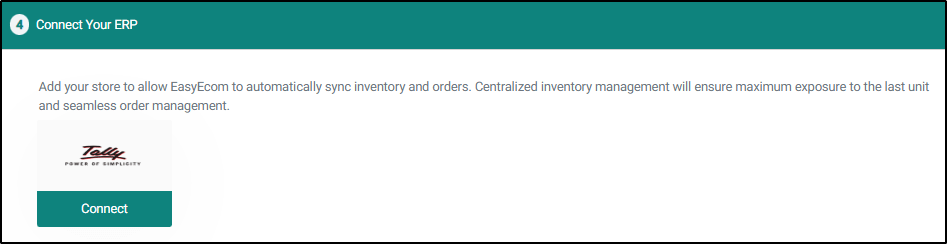
11. Connect Your ERP: If you use an ERP, select it, click Connect, and follow the on-screen instructions.
That’s it. Orders from every channel now flow into one dashboard, with inventory synced across your operation.
Key Features for Startups
Centralised inventory: real-time stock view across marketplaces, storefronts, and B2B channels
Virtual inventory rules: channel-level buffers that reduce overselling while putting more stock to work
EasyOMS: one order workspace with automated checks, routing, and bulk processing
EasyWMS: receiving, putaway, picking, and bin-level visibility across warehouses, with FIFO/FEFO support
HHT mobile app: mobile workflows for warehouse floor teams
EasyReco: automated settlement reconciliation that flags deductions and short payments
EasyVMS: packing and return videos linked to orders for faster dispute filing
Integrations: marketplaces, storefronts, accounting platforms, and ERPs in one place
Salesforce reports that 88% of retailers expect unified commerce to significantly impact their business goals. For scaling brands, that shows up in a few clear ways:
Customers expect connected experiences. Companies with strong omnichannel engagement retain 89% of their customers (PwC).
Inventory visibility has become a core capability. Deloitte found that one-third of retail executives plan significant investment in real-time inventory visibility and multiple fulfilment options.
Disconnected data creates friction. SAP identifies disconnected sales and inventory data as a barrier to real-time decision-making.
Omnichannel is increasingly tied to growth. Accenture estimates digital commerce will reach $27 trillion by 2027, with 90% of retail transactions involving digital commerce.
Most operational problems in multi-channel commerce don’t arrive as a crisis. They show up as an oversold SKU here, an unclaimed deduction there, an order shipped from the wrong warehouse. Over time, they add up to lost margin and customers who don’t come back.
With EasyEcom, brands can keep inventory accurate across every channel, process orders at scale, run warehouses with clarity, and recover revenue that would otherwise slip through, all from one connected platform.

At Razorpay Rize, we get it- building a startup is tough. That’s why we’re more than just a space for connecting with other founders. We’ve got programs, tools, and services designed to take some of the weight off the shoulders and make the journey just a little bit easier.
Curious about how we support startup founders?

Dive into Vault today & unlock a world of possibilities.